

Stop Searching for Practice Files
Every week, choir directors send practice files to their singers. Via email, Dropbox links, WhatsApp messages, or Google Drive folders. Singers download files, forget where they saved them, and end up practicing the wrong voice part. There's a better way.
The Problem with Scattered Practice Files
If you run a choir, you probably recognize this: you spend time recording or sourcing practice tracks for each voice section, upload them somewhere, and send a link to the choir. But then:
- •Singers can't find the file two weeks later
- •Someone practices the wrong part because the file names are confusing
- •New members have no access to older materials
- •There's no way to know who's actually been practicing
ChoirMate solves all of this with Practice Lists. A simple way to organize, share, and play practice materials for your entire choir.
How to Set Up Practice Lists for Your Choir
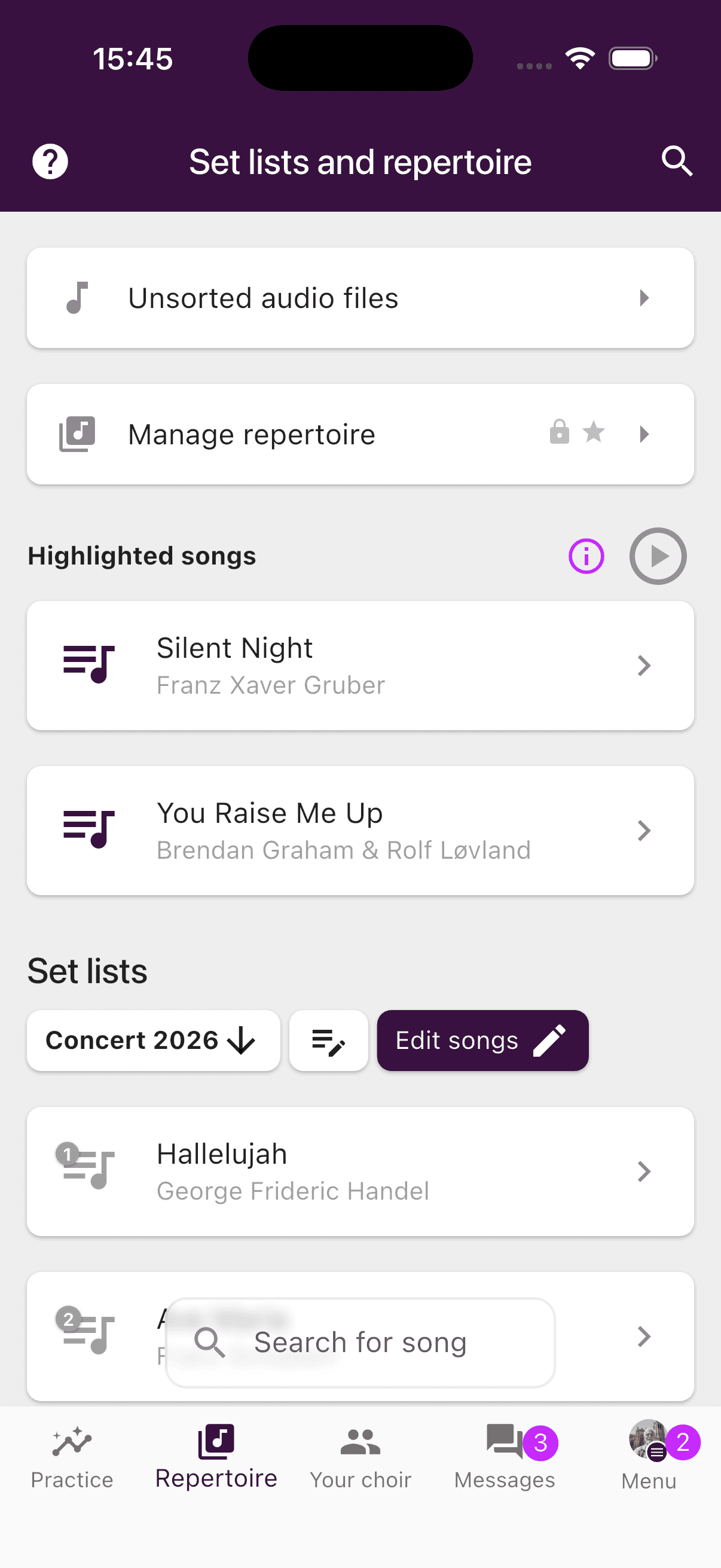
As an admin or editor, you start by adding songs to your repertoire. For each song, you upload audio files (one per voice section) and optionally sheet music (PDF).
Then you toggle each audio file for the practice list by tapping its menu and switching on "Group practice list". That's all it takes.
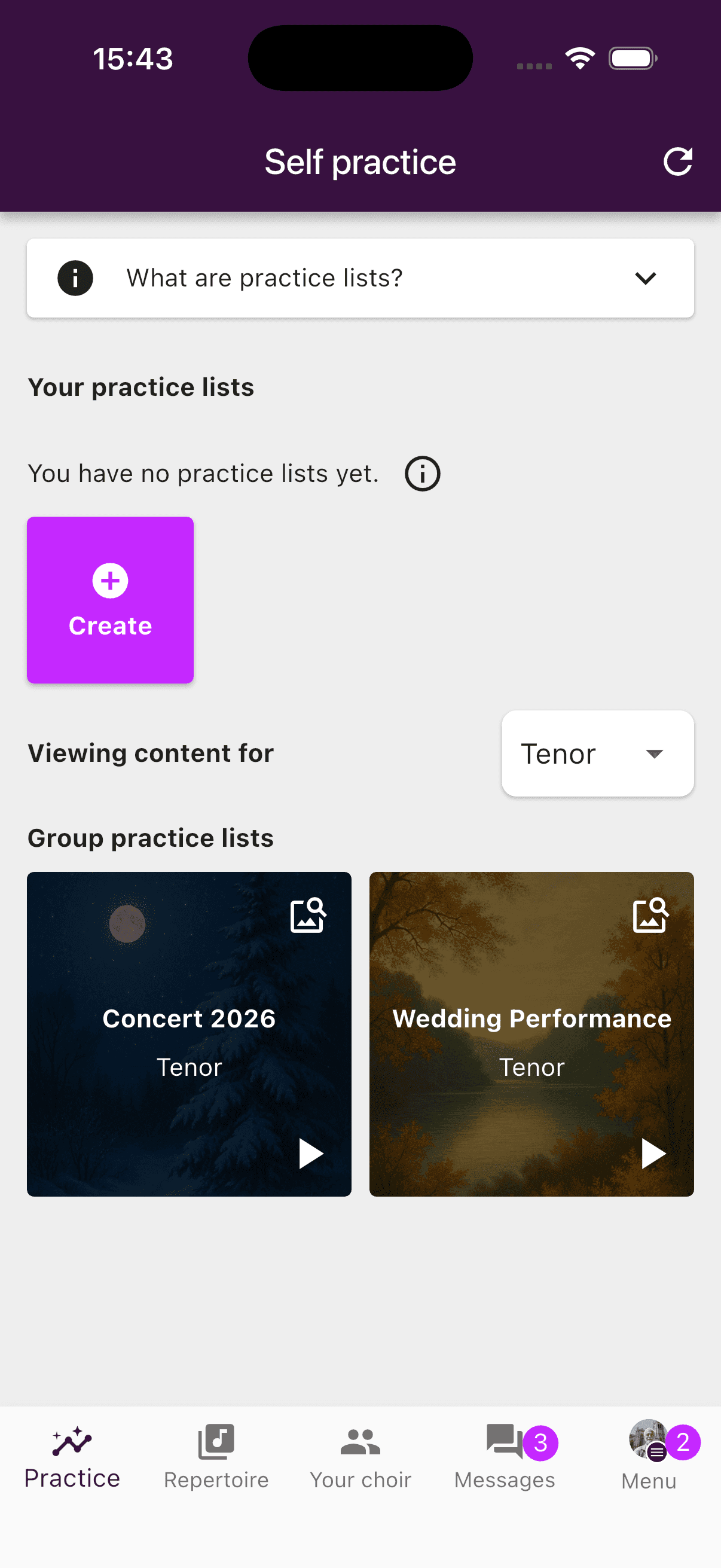
Your singers open the Practice tab and instantly find a ready-made playlist with all the tracks they need for their voice section. No links to follow, no files to download.
Everything in One Place: Audio, Sheet Music, and Lyrics
What sets ChoirMate apart from just sharing audio files in a folder is that everything is connected. When a singer listens to a practice track, they can view the sheet music on screen at the same time. No switching between apps, no printouts. Just press play and follow along with the score.
There's also a dedicated lyrics view that displays the song text in large print while you listen. Perfect for memorizing lyrics, for example in the car on your way to rehearsal. More on this feature in a separate article.
Continuous Playback
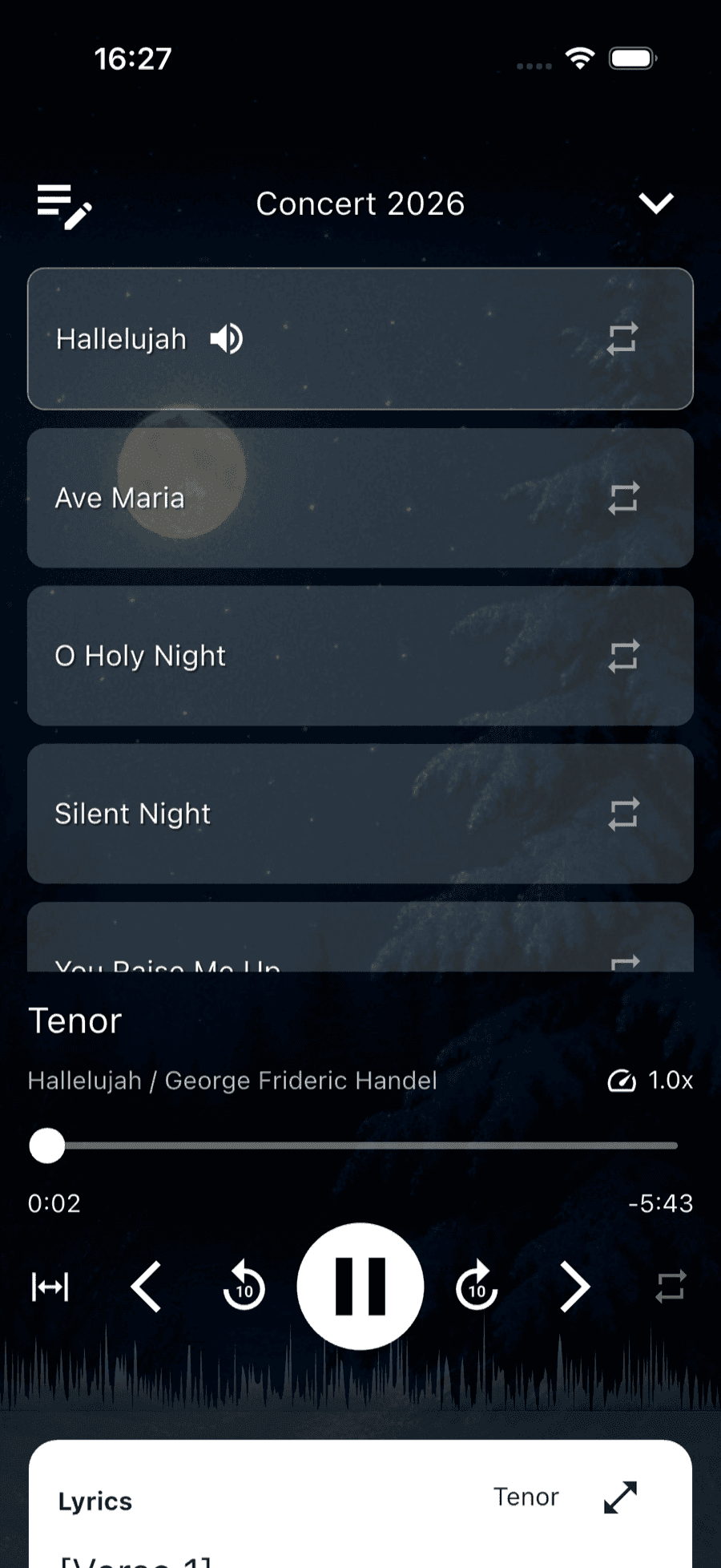
Practice Lists play continuously. One song after another, without needing to touch anything. Unlike browsing the repertoire (where playback stops after each song), the practice list works like a true playlist. Start it, and practice through all your material in one go.
This also works with Apple CarPlay, Android Auto, the lock screen, and Control Center. You can practice in the car, on a walk, or while doing chores. Without opening your phone.
Individual Practice Lists
Some singers sing soprano in one song and alto in another. The group practice list always shows one voice section at a time, so for these singers there's a better solution: individual practice lists.
With ChoirMate Premium, singers can create their own practice lists by picking audio files from different songs and voice sections. The result is one personal playlist that contains the right voice part for each song, without having to switch sections manually.
Share Practice Lists with Your Section
Section leaders can create a tailored practice list and share it with everyone in their section. Members receive a notification and find the list under their practice lists. Perfect for a section leader who wants to make sure everyone in the group is practicing the right material.
Get Started
Practice Lists are included in all ChoirMate subscriptions. Group practice lists are available for all choirs. Individual practice lists and sharing require ChoirMate Premium.
Try ChoirMate for free and give your singers a better way to practice.